
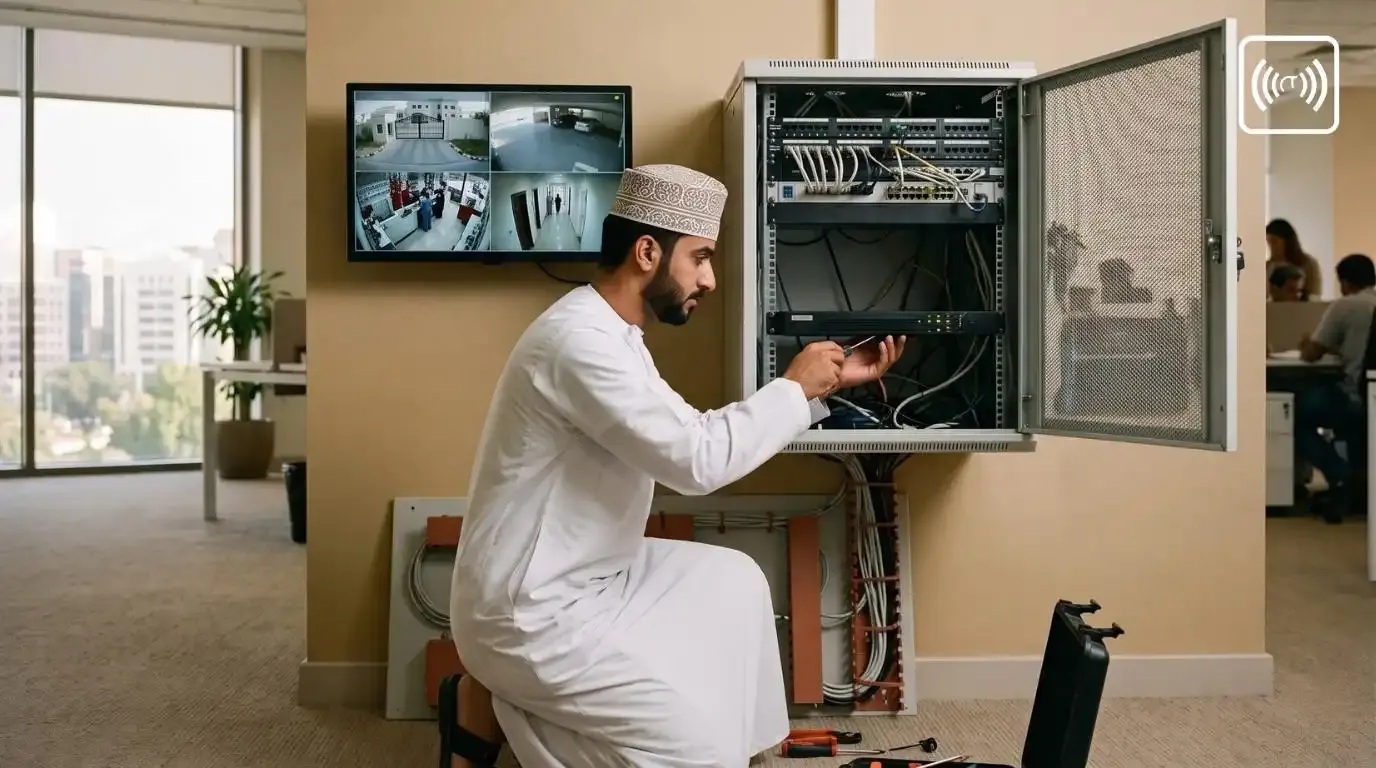
DVR in Oman: A Practical Guide to Choosing the Right CCTV DVR System
Whether you run a shop in Muscat, a warehouse in Sohar, a clinic in Nizwa, or simply want to protect your villa, a reliable CCTV system starts with one important device: the DVR.
Many people in Oman buy cameras first and think about the recorder later. That usually leads to problems: footage that disappears after a few days, blurry images when you need them most, or a mobile app that never connects.
This guide explains what a DVR is, how to choose the right one, how much storage you need, and what to consider when installing a DVR in Oman. It is written for non-technical readers, so you can decide with confidence before you buy.
What Is a DVR and How Does It Work?
A DVR (Digital Video Recorder) is the "brain" of a traditional CCTV system. It receives video from your cameras, converts it into digital files, and saves them on a hard drive so you can watch live or play back later.
DVRs work with analog CCTV cameras, including modern HD CCTV cameras that use HD-over-coax technologies such as AHD, HD-TVI and HD-CVI. These are not the grainy cameras of the past. Today's analog HD cameras record clear footage at 2MP (1080p), 5MP and even 8MP (4K).
The Basic Setup: Cameras, Cables, DVR and Screen
A typical CCTV DVR system includes:
- Cameras: dome or bullet cameras mounted indoors or outdoors
- Coaxial cables: carry the video signal from each camera to the DVR
- Power supply: powers the cameras, often through a central power box
- DVR: records and manages all the camera feeds
- Hard drive: stores the recorded footage inside the DVR
- Monitor: displays live and recorded video
- Internet connection (optional): lets you view your cameras on your phone
What a Modern DVR Can Do
A good modern DVR can:
- Rnetworkingecord 24/7, on a schedule, or only when motion is detected
- Search footage by date, time and camera
- Send alerts to your phone when something unusual happens
- Allow remote CCTV monitoring from anywhere in the world
- Export video clips to a USB drive for police or insurance purposes
Practical example: A pharmacy owner in Ruwi notices stock is missing. Instead of watching hours of footage, she uses the DVR's playback search to jump to the time the shelf was last restocked, then exports a three-minute clip to a USB drive.
DVR vs NVR: Which One Is Right for You?
You will often hear about NVRs (Network Video Recorders) as well. The main difference between the two is the type of camera each one supports.
|
Which should you choose?
- Choose a DVR if you already have coaxial cabling, want a cost-effective system, or need a simple setup for a home, shop or small office.
- Choose an NVR if you are building a large new system or need advanced features such as face recognition or number plate recognition.
Many modern recorders are hybrid (XVR) models that accept both analog and IP cameras. These are a smart choice if you want to upgrade gradually.
Who Uses DVR Systems in Oman?
DVR-based security camera systems remain popular across Oman because they are reliable, affordable and easy to use. Common users include:
- Villas and apartments: gates, parking areas and entrances
- Retail shops and supermarkets: cash counters, aisles and stockrooms
- Restaurants and cafés: kitchens, entrances and payment areas
- Small offices: reception areas and equipment
- Warehouses and workshops: loading bays and perimeter fences
- Schools and clinics: entrances, corridors and waiting areas
- Construction sites: deterring theft of materials and equipment
Practical example: A family in Al Khoud installs a four-camera DVR system covering the main gate, driveway, back yard and side passage. While travelling in summer, they check the cameras daily from their phones and receive motion alerts if anyone enters the compound.
How to Choose the Right DVR: 7 Key Factors
1. Number of Channels
Each "channel" supports one camera. DVRs commonly come in 4, 8, 16 and 32 channels.
Tip: Always leave a few spare channels. If you need six cameras today, buy an 8-channel DVR. Adding cameras later is far cheaper than replacing the recorder.
2. Recording Resolution
Your DVR must support your cameras' resolution. If you install 5MP cameras on a DVR that only records at 1080p, you lose the extra detail you paid for.
- 2MP (1080p): general monitoring of homes and small shops
- 5MP: better detail for wider areas and identifying faces
- 8MP (4K): large areas, car parks and situations where detail matters
3. Video Compression (H.264 vs H.265)
Compression reduces the size of video files. H.265 (and H.265+) uses roughly half the storage of the older H.264 standard at similar quality. That means more days of recording on the same hard drive, so choose H.265 for most new systems.
4. Hard Drive Storage
The DVR hard drive decides how many days of footage you keep. Use a surveillance-grade hard drive, such as WD Purple or Seagate SkyHawk. Regular desktop drives are not built for 24/7 recording and tend to fail early, especially in hot environments.
5. Remote Viewing on Mobile
Most modern DVRs include a free mobile app for iPhone and Android. Before you buy, check that:
- The app is stable and regularly updated
- Setup is simple (usually by scanning a QR code)
- You can view live video, play back recordings and receive alerts
- Family members or managers can have their own logins
6. Smart Features
Even affordable DVRs now offer:
- Motion detection: records or alerts only when movement is detected
- Human and vehicle detection: fewer false alerts from trees, cats or shadows
- Line crossing and intrusion detection: alerts when someone enters a defined area
- Smart search: finds events quickly without scrolling through hours of video
7. Brand, Warranty and Local Support
A cheap, unbranded DVR may save money at first but often costs more later. Choose a recognised brand with:
- A valid warranty honoured in Oman
- Regular firmware updates, which matter for cybersecurity
- A local supplier for support, replacements and repairs
How Much Storage Does Your DVR Need?
Storage depends on four things: how many cameras you have, their resolution, the compression used, and whether you record continuously or only on motion.
The table below shows approximate storage for continuous 24/7 recording. It assumes 1080p cameras using H.265 compression, which works out to about 21–22 GB per camera per day.
| Cameras | 15 Days | 30 Days | Suggested Hard Drive |
|---|---|---|---|
| 4 | ~1.3 TB | ~2.6 TB | 2–4 TB |
| 8 | ~2.6 TB | ~5.2 TB | 4–6 TB |
| 16 | ~5.2 TB | ~10.4 TB | 8–12 TB (may need 2 drives) |
Keep in mind:
- Higher resolution needs more space. 5MP or 4K cameras can need two to four times the storage shown above.
- Motion-only recording saves space, especially in quiet areas.
- When the drive is full, the DVR overwrites the oldest footage automatically.
Practical example: A supermarket in Seeb wants 30 days of footage from 8 cameras recording 24/7. A 6 TB surveillance drive covers that with a safety margin.
Many businesses keep around 30 days of CCTV recording, because incidents such as stock loss are often discovered days or weeks later. If your business has retention requirements from authorities or your insurer, confirm them before choosing storage.
DVR Price in Oman: What Affects the Cost?
There is no single DVR price in Oman, because the right system depends on your site. These are the main factors that drive the cost:
|
Tip when comparing quotes: Check that each quote includes the same camera resolution, hard drive size, cable type and warranty. The cheapest quote is sometimes cheaper only because it uses lowinternet connectioner-grade cables or a desktop hard drive.
The most accurate way to Access controlrice a system is a site survey, where a technician checks camera positions, cable routes and storage needs before quoting.
Installation Tips for Oman's Climate and Conditions
Professional CCTV installation in Oman must account for local conditions.
Heat
- Install the DVR in a cool, ventilated spot, never inside a closed cupboard.
- Choose outdoor cameras rated for high operating temperatures.
- Avoid positions that face direct afternoon sun for hours.
Dust and Humidity
- Use outdoor cameras rated at least IP66 or IP67.
- In coastal areas, and in Salalah during Khareef, humidity and salt air can damage connectors. Use weatherproof junction boxes and quality connectors.
Power Stability
- Connect the DVR to a UPS so short power cuts don't interrupt recording or damage the hard drive.
- Use a properly rated power supply for the cameras.
Camera Placement
- Cover entry points first: gates, doors, cash counters and parking areas.
- Mount cameras high enough to prevent tampering but low enough to capture faces.
- Avoid pointing cameras directly at bright lights or glass that causes glare.
- Respect privacy and don't point cameras into neighbours' homes.
Keeping Your DVR System Healthy: Maintenance Checklist
Regular CCTV maintenance makes sure your system works when you need it.
Monthly:
- Check every camera shows a clear live image
- Play back a random recording to confirm footage is being saved
- Confirm the mobile app still connects
Every 3–6 months:
- Clean lenses and housings, especially after dust storms
- Check hard drive health in the DVR menu
- Install manufacturer firmware updates
- Inspect cables and connectors
Always:
- Replace the default password with a strong one
- Keep the DVR's date and time correct, because wrong timestamps weaken footage as evidence
Common DVR Mistakes to Avoid
- No spare channels, which forces a full replacement when you add cameras
- Mismatched resolution, such as 5MP cameras on a 1080p DVR
- Desktop hard drives instead of surveillance-grade drives
- Default passwords that leave the system open to hackers
- A DVR in plain view, where intruders can steal it along with the evidence
- No UPS, causing recording gaps and drive damage
- Never checking recordings until an incident happens
Frequently Asked Questions About DVRs in Oman
Can I watch my DVR cameras on my phone?
Yes. Most modern DVRs support free mobile apps. You need an internet connection at the site and a correctly configured DVR
How long does a DVR keep footage?
It depends on the hard drive size, number of cameras, resolution and recording mode. Many systems are set up to keep around 30 days.
Can I use my old CCTV cables with a new DVR?
Often, yes. If your coaxial cables are in good condition, you can upgrade to HD analog cameras and a modern DVR without rewiring.
Does a DVR work without internet?
Yes. It records locally to its hard drive. Internet is only needed for remote viewing and alerts.
Is a DVR better than an NVR?
Neither is better in every case. A DVR is usually more cost-effective for small and mid-size systems or upgrades, while an NVR suits larger new installations that need advanced analytics.
Get the Right DVR System with Concept Technologies
Choosing a DVR is about more than the device. It means matching the cameras, storage, cabling and installation to your property.
Concept Technologies LLC, part of Concept Group in Oman, provides complete CCTV and surveillance solutions for homes and businesses:
- Site surveys and system design
- DVR, NVR and HD CCTV camera systems
- Professional CCTV installation in Oman
- Remote viewing setup on your mobile
- CCTV maintenance and support
- Access control, networking and PA systems
Planning a new CCTV system or upgrading an old one? Contact our team on WhatsApp or through our enquiry form, and we'll help you choose the right DVR system for your site and budget.
Related Posts



Latest Projects


Recent Posts